
Attendance without the chase
Keep replies in one calm list
When gatherings approach, families need a simple way to know who can be there — in person or online — not another thread buried in a group chat.
On a Timeless memorial, people can register for a gathering after a quick sign-in. You see who plans to attend in person or online, together in one calm list the family can return to.
How it works
Step 1
Add a gathering
Create the event with time and details on the memorial.
Step 2
Turn on registration
Let people say whether they can attend in person, online, or both.
Step 3
Review who is coming
See attendance in one list—without chasing replies across apps.
What RSVP includes
Simple attendance
People register for the gathering. There is no ticketing or seating plan.
In person or online
When a gathering offers both, people can say how they plan to take part.
A quiet sign-in
RSVP uses Google, Facebook or a passwordless email link—not a long registration form.
See how it looks
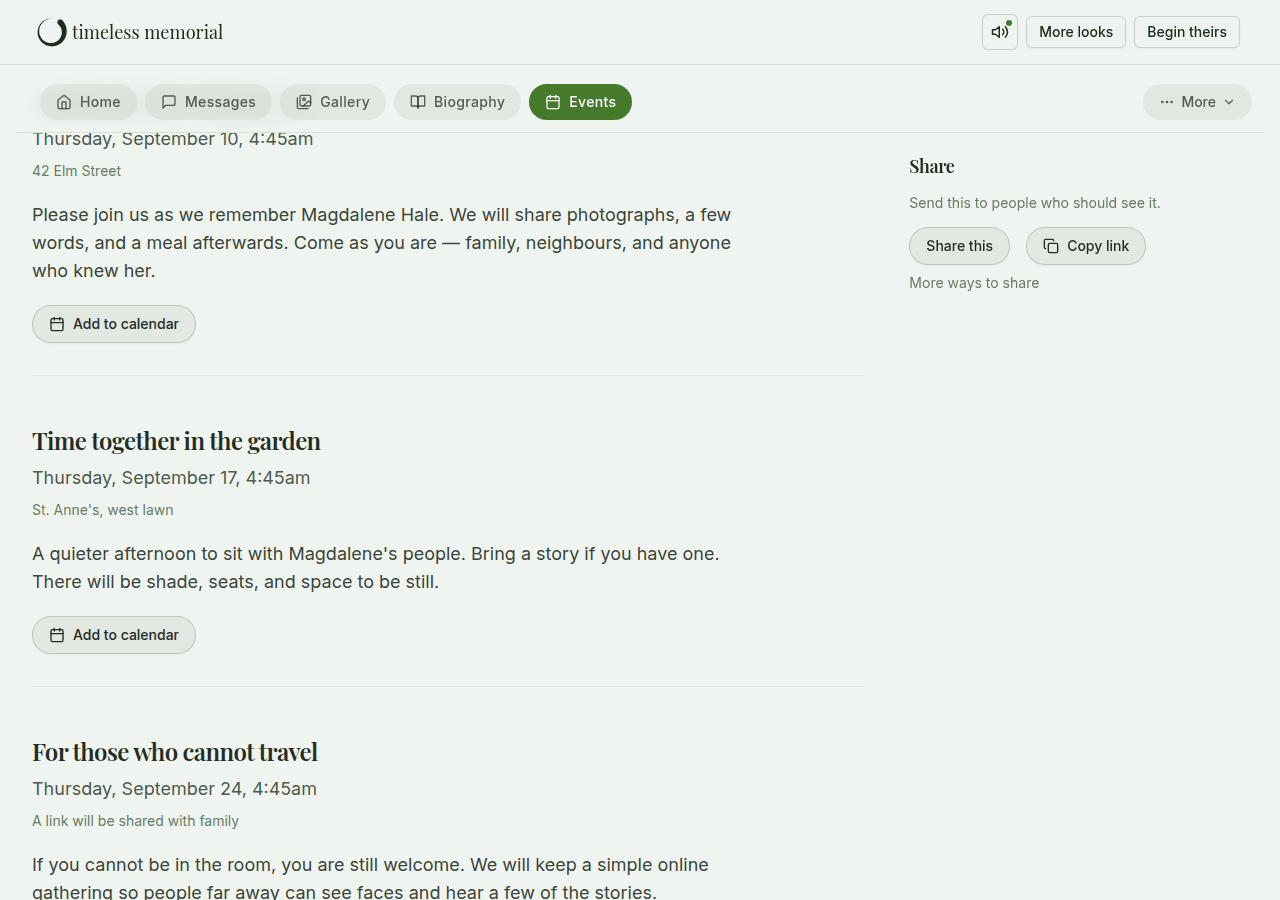
Clear and respectful
No ticketing
Timeless helps with attendance, not tickets, seats or guest segmentation.
Sign-in to register
People sign in with Google, Facebook or an email magic link so replies stay tied to a real person.
Private when you need it
You choose how openly the memorial is shared.
Questions families ask
- Do people need an account to register?
- They sign in quickly with Google, Facebook or a passwordless email link. There is no traditional password registration form.
- Can I assign seats or send tickets?
- No. Timeless registration is for knowing who can attend—not ticketing, seating plans or automated guest messaging.
- Can someone update their registration later?
- Yes. Someone who has already registered can return, change how they will attend, or let you know they cannot come.
Related ways Timeless helps
Each page focuses on one family need.
Begin a memorial
Add a gathering when you are ready. A name is enough to begin.